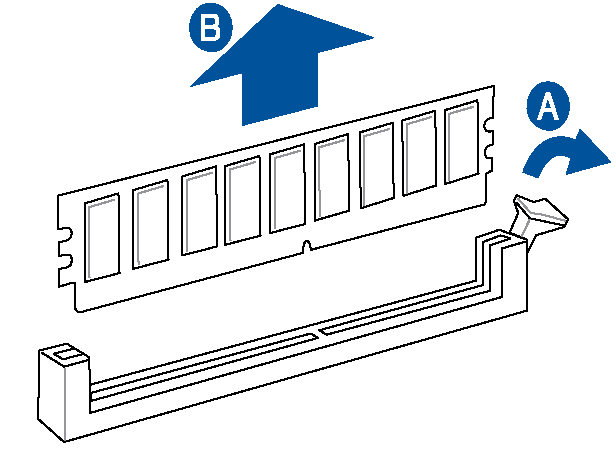
Support the DIMM lightly with your fingers when pressing the retaining clips. The DIMM might get damaged if it flips out with extra force.
To remove a DIMM, follow these steps:
Observe the precautions in "Before You Proceed".
Turn off all peripheral devices connected to the computer. Turn off the computer.
Remove the AC power cord from the computer.
Remove the computer’s cover.
Gently spread the retaining clips at each end of the DIMM socket. The DIMM pops out of the socket.
Hold the DIMM by the edges, lift it away from the socket, and store it in an anti-static package.
Reinstall and reconnect any parts you removed or disconnected to reach the DIMM sockets.
Replace the computer’s cover and reconnect the AC power cord.
|
|